Imagine(轻量级图像浏览器) v2.2.0 中文绿色版
Imagine 是一个功能强大的图像处理和编辑软件,它专注于提供用户友好的界面和丰富的工具集,以满足专业和业余用户的需求。Imagine 是一款功能全面且灵活的图像处理软件,适合从个人爱好者到专业设计师的各种使用场景,帮助用户轻松实现高质量的图像编辑和处理目标。
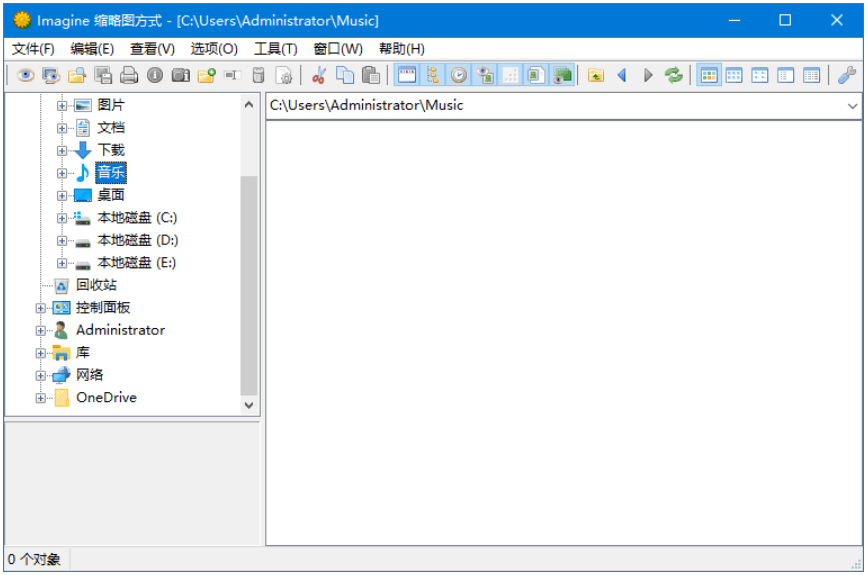
软件功能
- 图像编辑功能:
- 提供了广泛的图像编辑工具,包括裁剪、旋转、调整亮度/对比度、色彩校正等。
- 支持多种图像格式,包括常见的 JPEG、PNG、以及更专业的 RAW 格式。
- 图像滤镜和效果:
- 内置丰富的滤镜和特效,如模糊、锐化、马赛克、画笔效果等,使用户可以轻松地改变图像外观。
- 图层和蒙版:
- 支持图层和蒙版功能,允许用户在不影响原始图像的情况下进行非破坏性编辑和合成。
- 批处理和脚本功能:
- 提供了批处理工具,使用户可以批量处理大量图像,节省时间和提高效率。
- 支持脚本编写和扩展,允许用户根据具体需求定制和自动化处理流程。
- 插件支持:
- 开放的插件架构,允许第三方开发者为 Imagine 添加新的功能和工具,扩展软件的能力和适用场景。
- 用户界面和易用性:
- 设计简洁直观的用户界面,使新手用户和专业用户都能快速上手并高效地进行图像处理和编辑。
- 跨平台支持:
- Imagine 提供了跨平台的支持,可以在多种操作系统上运行,包括 Windows、MacOS 和 Linux 等。
更新日志
v2.2.0, Sep 21 2025
- Added: Metadata support in status bar
- Added: Customizing browser columns
- Added: 'Use multithreading when available during encoding/decoding' option
- Added: 'Add archive files when loading directory tree' option
- Added: Support for metadata, frames, pages and file type in browser columns
- Added: Support for metadata, frames and pages in browser status bar
- Added: Archive files appear identical to directories in the browser
- Added: 'Reset all' button in the Save Options dialog
- Added: Support saving as JPEG XL
- Added: Support saving as JBIG
- Added: 'Lossless' option in AVIF save options
- Added: Changed the icons of supported files in the browser
- Added: 24x24 command bitmap for High-DPI environment
- Added: 'Print size' in Image Information dialog
- Added: 'Use skin' option in Preferences
- Added: GPS degrees, minutes, and seconds can be translated
- Added: Automatically rename files when pasted into the same directory
- Fixed: When saving a file, the file list sometimes did not update
- Fixed: Sometimes changing the browser view mode does not work properly
- Fixed: During mouse crop, lines are not drawn at the right and bottom ends
- Fixed: Thread error when saving a file
- Fixed: Thread error when loading JPEG XL
- Fixed: Icon error when starting in full screen and then restoring to window
- Fixed: Browser directory items appear incorrectly sometimes
- Fixed: Browser thumbnail icons not displayed in Windows 2000/NT 4.0
- Fixed: Hangs that occur in Color Corrections on Windows 9x
- Fixed: Abnormal termination error in pop-up image window in Windows 95
- Fixed: Abnormal termination error in About dialog
v2.0.0, May 03 2025
- Added: Support for IPTC/DICOM information in content plugin
- Added: View GPS and Thumbnail information in Exif dialog
- Added: Support for DICOM compressed in Deflate format
- Added: Support for DICOM compressed in Lossless JPEG format
- Added: 'Also shows empty values' option in metadata information dialog
- Added: Support for 'Bottom' option in toolbar preferences
- Fixed: Large WebP files take a long time to load
- Fixed: Some AVIF errors
- Fixed: Some PPM errors
- Fixed: Do not output when the value of the DICOM tag is empty
- Fixed: Unsupported Exif in some AVIF
- Fixed: Shell extension is registered even though the program bits and
Windows bits are different
v1.7.0, Oct 20 2024
- Changed: Menu - 'Set Transparency'
- Added: Support for text and image elements in SVG plugin
- Fixed: 32-bit alpha blended image clipboard copy error
- Fixed: Color rendering error in AVIF plugin
- Removed: Warning when saving a 32-bit image without alpha as a 24-bit image
- Removed: Menu - 'Remove Transparency'
下载地址
Imagine(轻量级图像浏览器) v2.2.0 中文绿色版
城通盘:https://u062.com/d/56496607-61928773-e1a158?p=6179 (访问密码: 6179)
百度云:https://pan.baidu.com/s/1AmmmupTebrZ-9TN9_HqGpg?pwd=2024 密码:2024
123 盘:https://www.123pan.com/s/nYUQTd-8VSgv.html
内容来自于网络,如有侵权请联系删除!